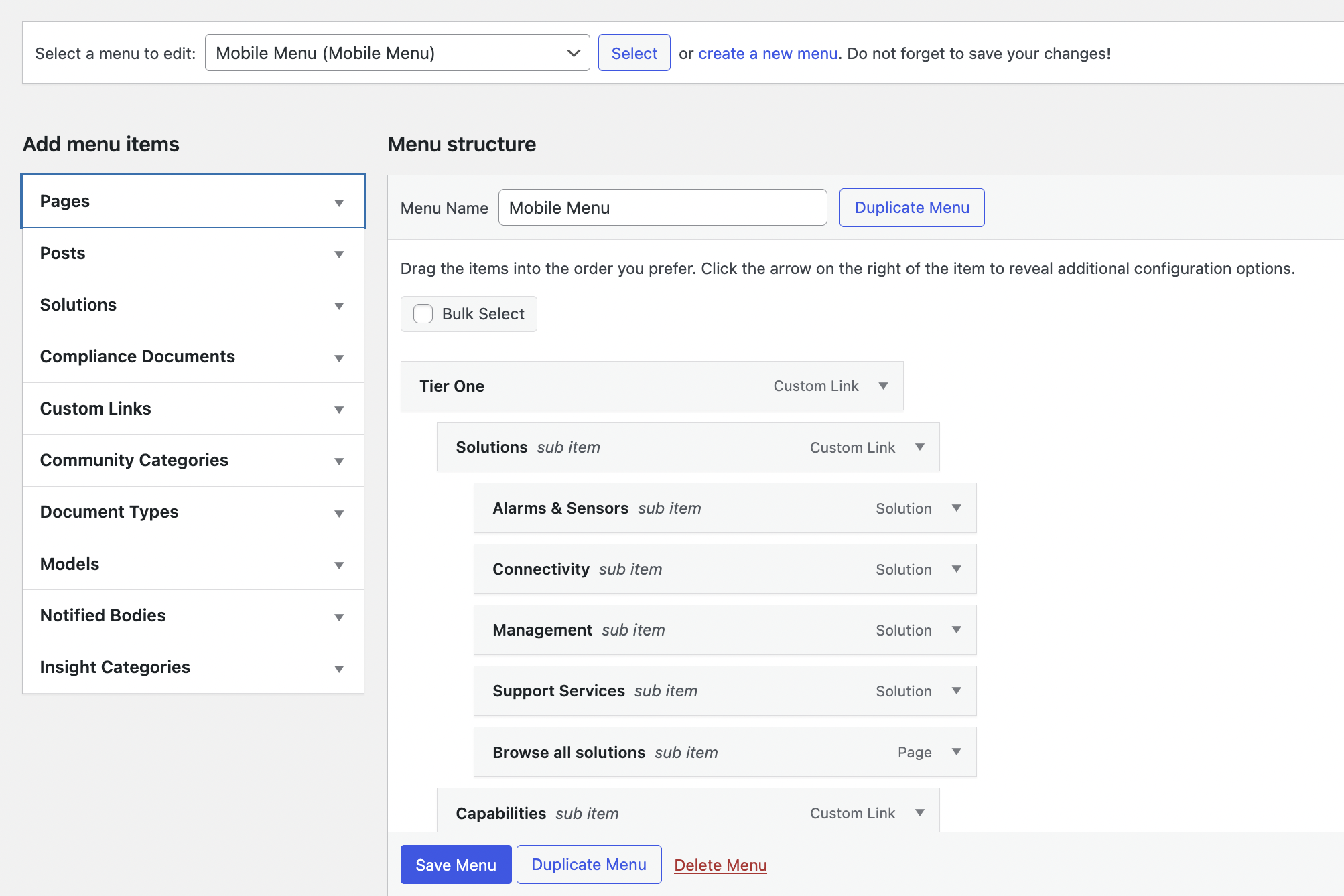
In the dashboard, find and click on the left-hand sidebar the menu option "Appearance". This will open a submenu, in the submenu click "Menus".
Choose/Create a Menu: Select a menu you would like to edit. You will find that there are a number of navigation menus. The main menus are the header and footer menus.
Add/Remove Menu Items: Once you've selected a menu to edit, you can drag and drop any page or post you would like to appear in that menu. You can drag and drop the items to arrange them in any desired order.
Creating Sub-Menus: For dropdown menus, drag an item slightly to the right beneath the parent item. It will become a sub-menu.
Custom Links: You can also create a custom navigation link, click 'Custom Links' in the left-side options and add your own customizable link.